
Telegram Keyword Alerts — get notified when a word appears in groups
Pick a word and your groups — the moment someone writes it, an alert drops in at the top of your screen.
Keyword Alerts is one of the feature groups Chitgram adds on top of Telegram for Android. It includes 4 features: Your keywords, Choose groups, Instant pop-up alert, Full context at a glance.
No Google Play? Download the APK directly · 79.2 MB
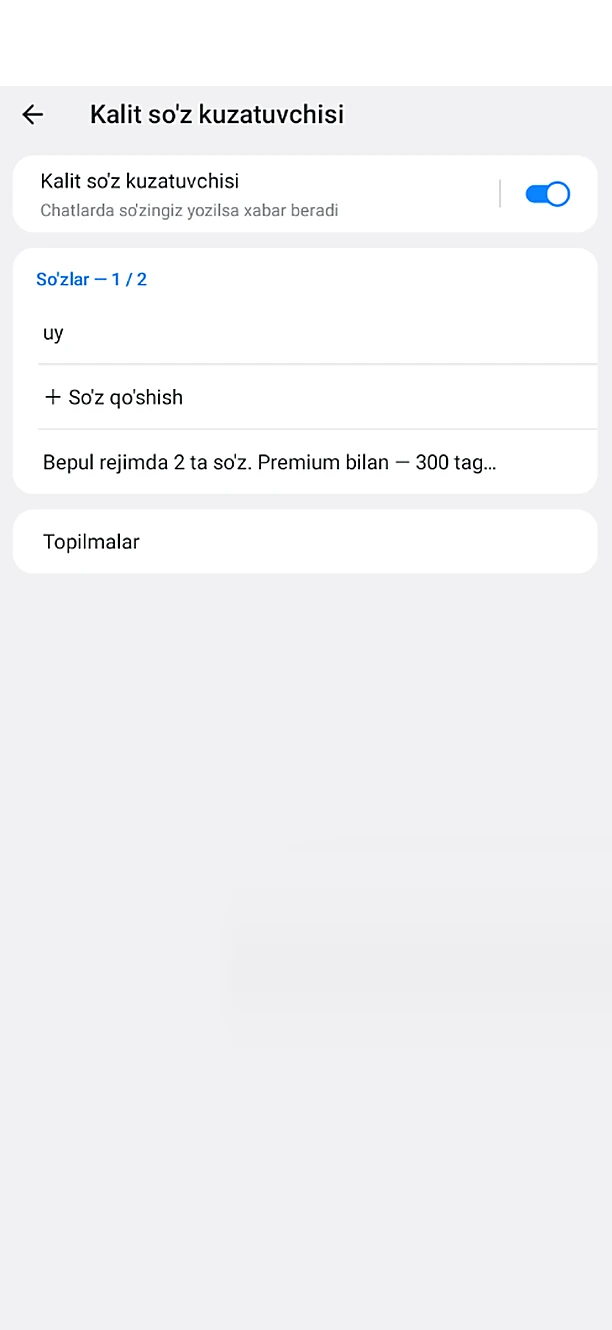
What's included: Keyword Alerts
- Your keywordsAdd the words you care about — a product, a name, a price, anything.
- Choose groupsPick exactly which groups to watch for those words.
- Instant pop-up alertAs soon as a message with your word appears, a notification drops in at the top of the screen.
- Full context at a glanceThe alert shows the group, who wrote it and the message itself — no need to scroll through busy chats.
How to get it
Install Chitgram from Google Play, sign in with your Telegram account and open Chitgram settings — Keyword Alerts is there, ready to use. Your chats and contacts stay exactly as they are in Telegram.
More Chitgram features
Cloud Sync (No Server)
Settings are tied to your account — sign in on another phone and everything is there.
Learn moreChitgram Premium
Pay with Telegram Stars inside the app — no other payment system.
Learn moreGhost Mode & Privacy
Browse invisibly — nobody knows.
Learn moreLock & Hidden Folder
Keep chosen conversations away from prying eyes.
Learn moreMessage History
Edited and deleted messages don't disappear.
Learn moreStories
Full control over stories.
Learn more
Get Chitgram.
Free on Google Play, with automatic updates. Prefer a file? The official APK is here too.
No Google Play? Download the APK directly · 79.2 MB