
Telegram Auto Message — schedule posts to groups and channels
Write a message once and it goes to groups and channels on a schedule.
Auto Message is one of the feature groups Chitgram adds on top of Telegram for Android. It includes 17 features: Message source, Choose chats, Interval mode, Exact-time mode, Active hours, Copy or forward, Works with your phone off, Instant start, Statistics, Clear error messages, Flood protection, 80-message queue cap per chat, Automatic pause, Multiple tasks, Free limit, Premium limit, Interval warning.
No Google Play? Download the APK directly · 79.2 MB
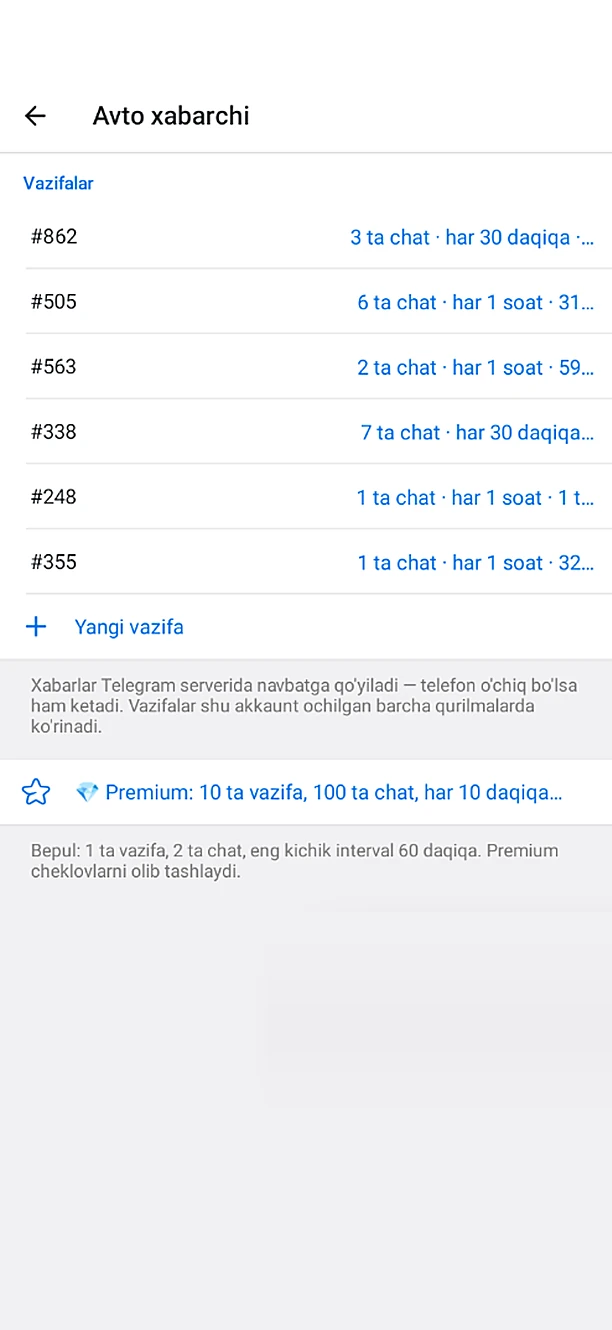
What's included: Auto Message
- Message sourcePick any message from Saved Messages — text, photo, video, file or album.
- Choose chatsSelect target groups and channels from a list.
- Interval modeSend every N minutes or hours.
- Exact-time modeSend at set times of day (for example 09:00, 14:30, 20:00).
- Active hoursSends only inside your chosen time window — quiet at night.
- Copy or forwardSent as a clean copy or with the “forwarded from” header.
- Works with your phone offThe queue lives on Telegram's servers, not on your phone.
- Instant startThe first send goes out within 20 seconds of choosing the message and chats.
- StatisticsSee how many were sent, how many are queued, and when the last and next ones go out.
- Clear error messagesRemoved from a group, channel deleted, spam limit, source message gone — each explained in plain words.
- Flood protectionRequests are paced so Telegram never blocks your account.
- 80-message queue cap per chatYou never hit Telegram's 100-message limit.
- Automatic pauseIf a spam limit appears, the task pauses itself and resumes later.
- Multiple tasksEach task has its own message, chats and schedule.
- Free limit1 task, 2 chats, at most once per hour.
- Premium limit10 tasks, 100 chats, as often as every 10 minutes.
- Interval warningOn the free plan, dragging below 1 hour shows the reason and snaps the wheel back to the minimum.
How to get it
Install Chitgram from Google Play, sign in with your Telegram account and open Chitgram settings — Auto Message is there, ready to use. Your chats and contacts stay exactly as they are in Telegram.
More Chitgram features
Keyword Alerts
Pick a word and your groups — the moment someone writes it, an alert drops in at the top of your screen.
Learn moreCloud Sync (No Server)
Settings are tied to your account — sign in on another phone and everything is there.
Learn moreChitgram Premium
Pay with Telegram Stars inside the app — no other payment system.
Learn moreGhost Mode & Privacy
Browse invisibly — nobody knows.
Learn moreLock & Hidden Folder
Keep chosen conversations away from prying eyes.
Learn moreMessage History
Edited and deleted messages don't disappear.
Learn more
Get Chitgram.
Free on Google Play, with automatic updates. Prefer a file? The official APK is here too.
No Google Play? Download the APK directly · 79.2 MB