
Telegram Ghost Mode — hide online status, typing and read receipts
Browse invisibly — nobody knows.
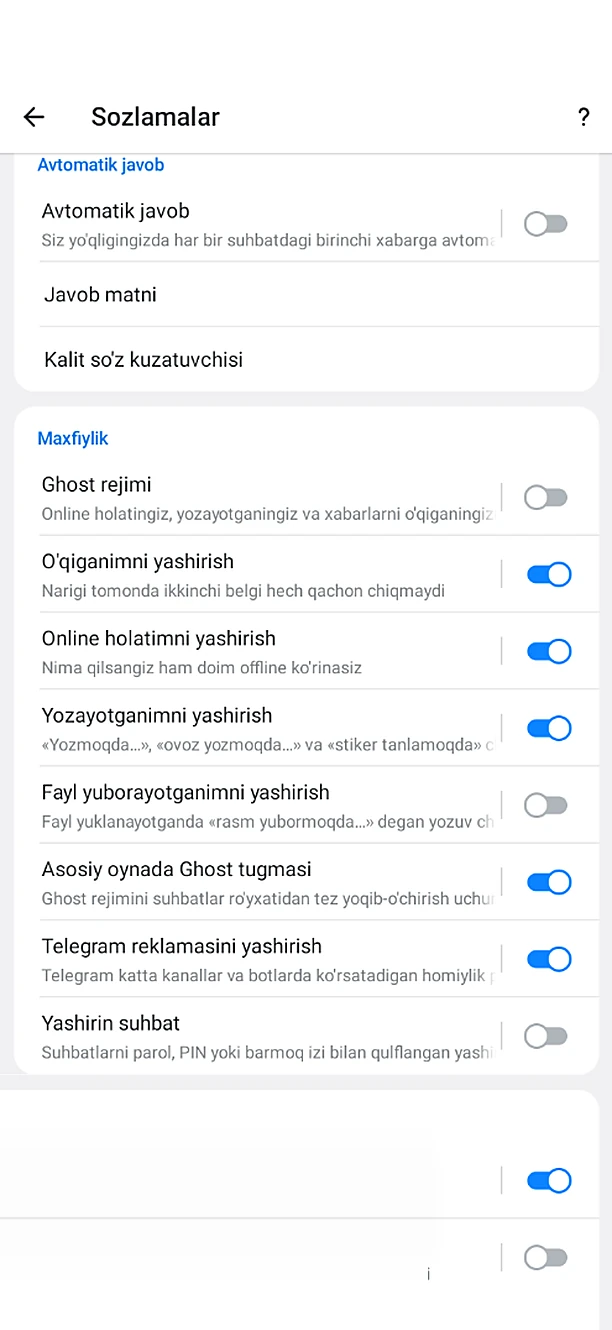
Ghost Mode & Privacy is one of the feature groups Chitgram adds on top of Telegram for Android. It includes 6 features: Ghost mode, Ghost button on the main screen, Ghost menu, Invisible story viewing, Secret chat preview, One-time voice and video.
No Google Play? Download the APK directly · 79.2 MB
What's included: Ghost Mode & Privacy
- Ghost modeYour online status, typing and read receipts are hidden from everyone.
- Ghost button on the main screenA button next to search toggles it on and off with one tap.
- Ghost menuA dedicated screen that controls every ghost setting.
- Invisible story viewingThe story owner never sees that you watched.
- Secret chat previewPress and hold a chat avatar to read messages, view photos and videos, and hear voice notes — no “read” mark is sent.
- One-time voice and videoIn selected chats, voice messages and round videos are sent as “view once” by default.
How to get it
Install Chitgram from Google Play, sign in with your Telegram account and open Chitgram settings — Ghost Mode & Privacy is there, ready to use. Your chats and contacts stay exactly as they are in Telegram.
More Chitgram features
Lock & Hidden Folder
Keep chosen conversations away from prying eyes.
Learn moreMessage History
Edited and deleted messages don't disappear.
Learn moreStories
Full control over stories.
Learn moreTranslate, Voice & Text
Communicate without typing and without a translator.
Learn moreAuto Replies & Join Requests
Works even while you are away.
Learn moreFolders & Navigation
Your chat list, organized your way.
Learn more
Get Chitgram.
Free on Google Play, with automatic updates. Prefer a file? The official APK is here too.
No Google Play? Download the APK directly · 79.2 MB